Hardware License Upgrades
The Time Tagger Ultra and Time Tagger X have a hardware license that can be upgraded to activate additional channels and features. To upgrade your license, please get in touch with sales@swabianinstruments.com. After purchasing a license upgrade, the new license becomes available within a few minutes. You can install your new license using Time Tagger Lab or via the Time Tagger API using the provided Python example.
Hardware license upgrades can be permanent or temporary. A permanent license has no expiration date, while a temporary license activates additional features until a set expiration date. The Time Tagger has two on-board license slots and can hold one license of each type at the same time.
The Time Tagger applies whichever stored license is currently valid and has the most recent issue date (the date the license was created, not flashed to the device). A temporary license is valid only until its expiration date. Once it expires, the Time Tagger falls back to the permanent license, if any.
An active internet connection is needed once to fetch and apply a permanent license upgrade. A temporary license additionally requires a connection each time the Time Tagger is initialized, so that its expiration can be verified. If no connection is available, the temporary license is treated as not valid and the Time Tagger applies the permanent license, if any.
Time Tagger Lab
Connect the Time Tagger to your PC.
Start Time Tagger Lab.
If a new license is available, you will see the following:
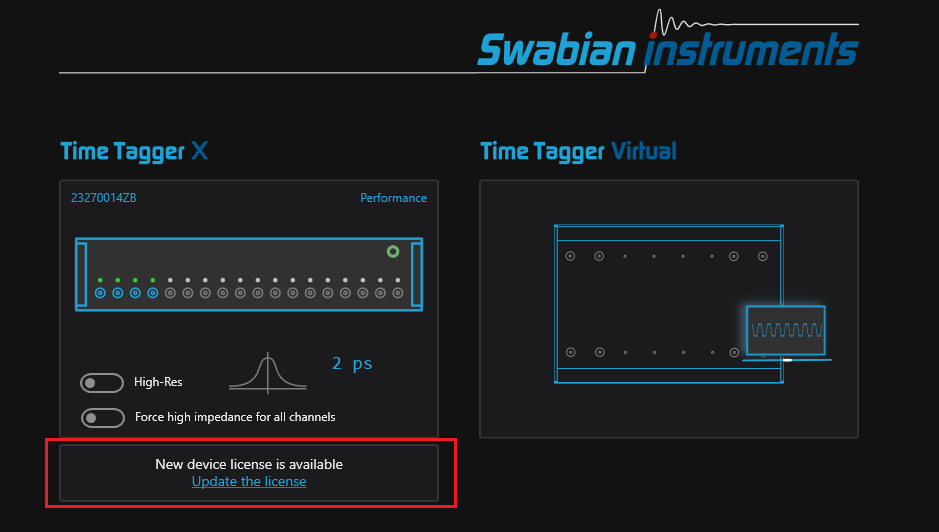
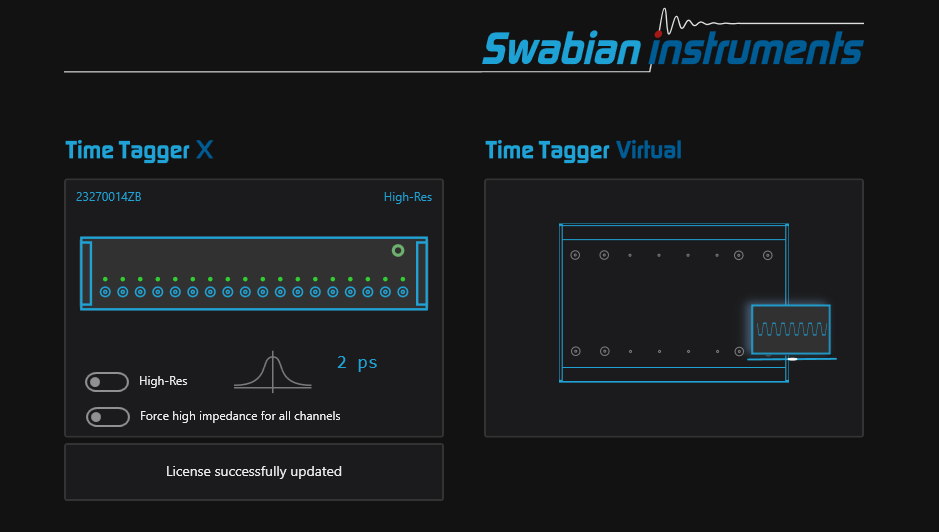
Click on “Update the license”. The new license will be applied immediately and you will see:
Note
It is currently not possible to update the hardware licenses of Time Taggers that are connected to a Synchronizer using Time Tagger Lab. To perform a license update, power off the Synchronizer first by unplugging its power supply. Then, the Time Taggers will be listed one-by-one and their licenses can be upgraded as described in the following section.
Python
A dedicated Python example hardware_license_update.py is included with the Time Tagger installation.
The default path for the examples is /usr/share/timetagger/examples/python/ and C:\Program Files\Swabian Instruments\Time Tagger\examples\python\10-Hardware-License-Upgrades
for Linux and Windows, respectively.
The example connects to the Time Tagger, retrieves the current license information with getDeviceLicense(),
and fetches any available updates from the Swabian Instruments license server with fetchDeviceLicenseUpdate().
For each physical device in a possibly synchronized setup, it prints the current license and the new available configuration,
distinguishing between permanent features and temporary features with their expiration date.
The user is then prompted to confirm before the Time Tagger connection is released
and the new license is flashed onto the device with flashLicense().